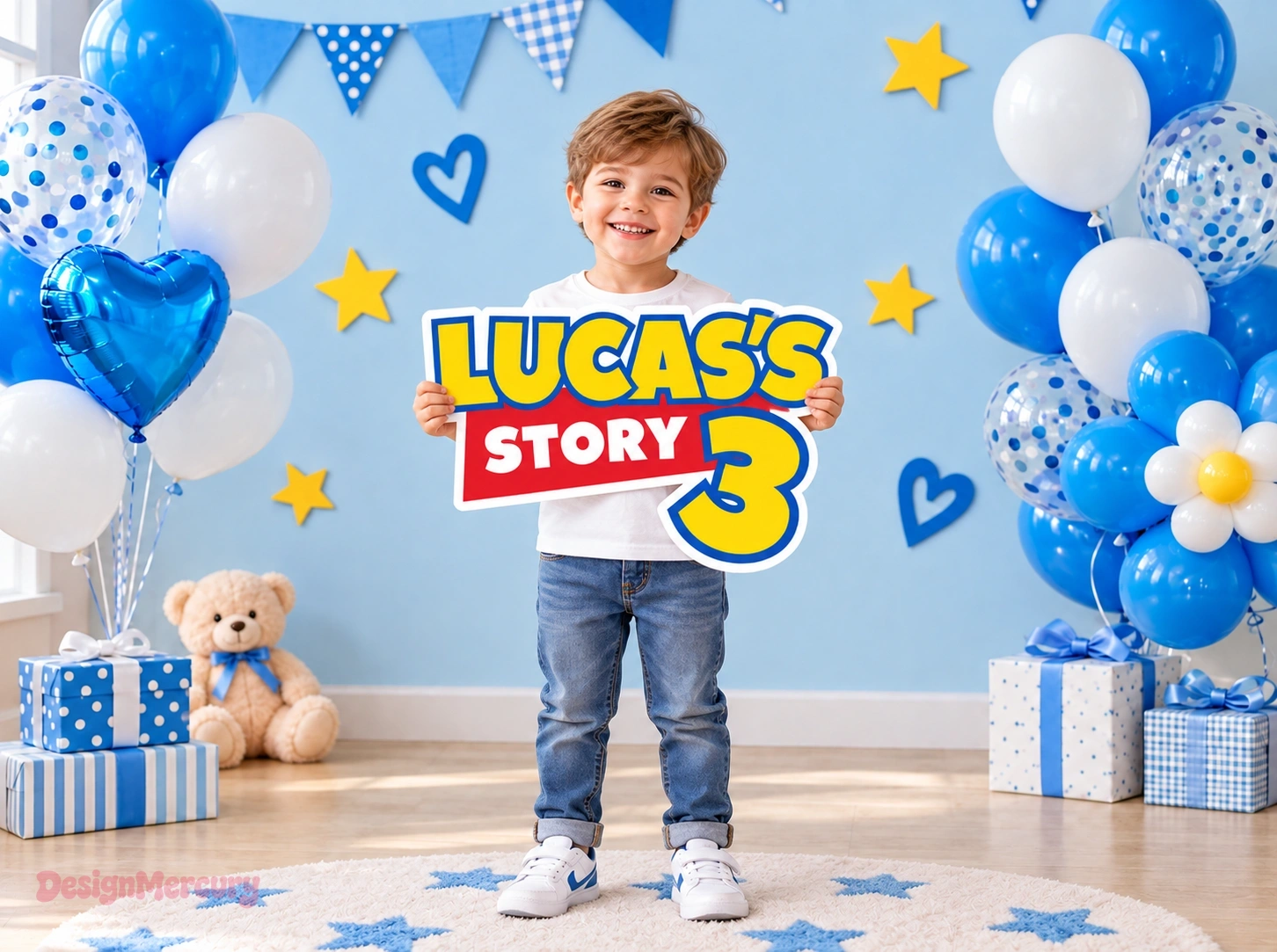


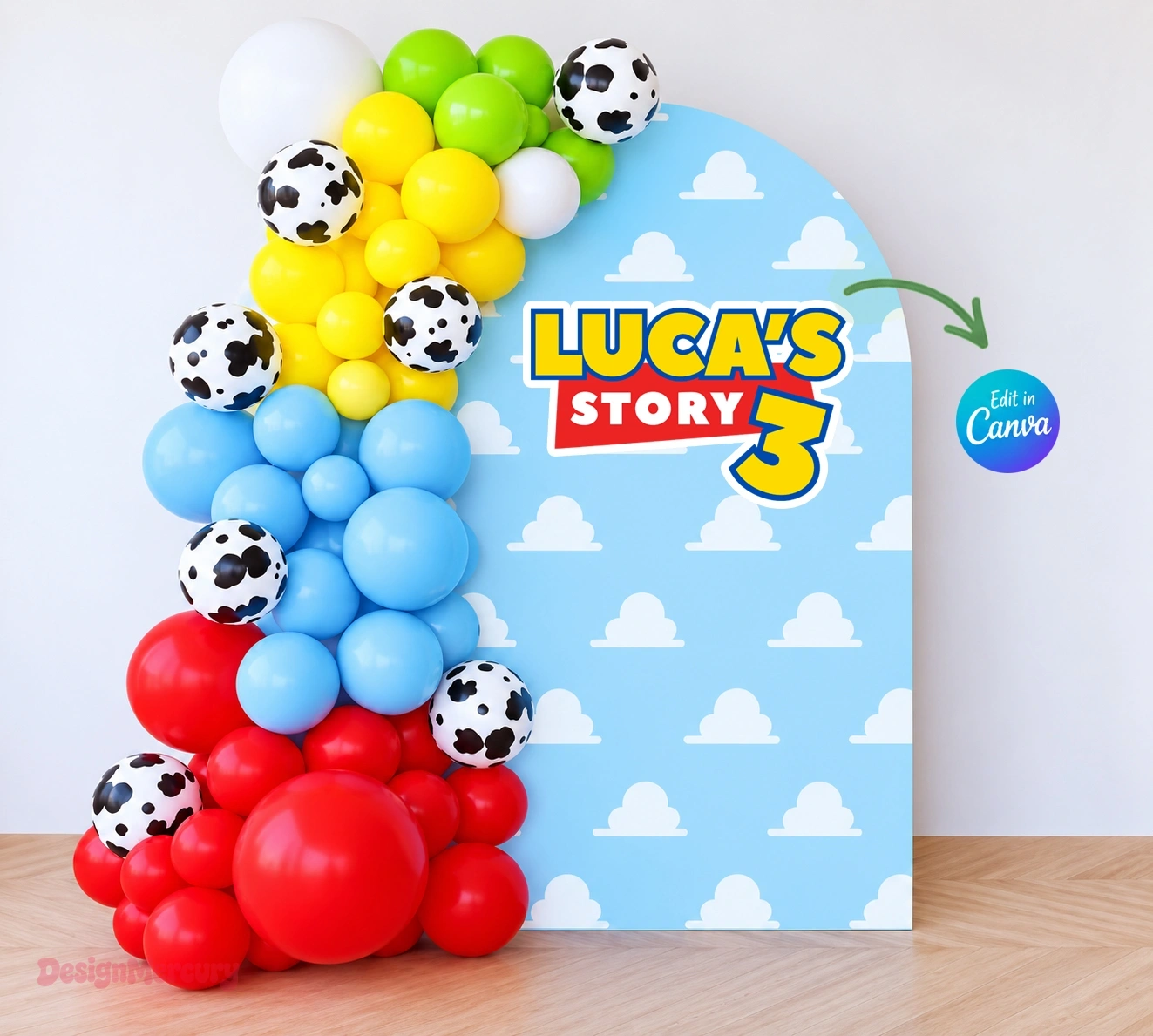
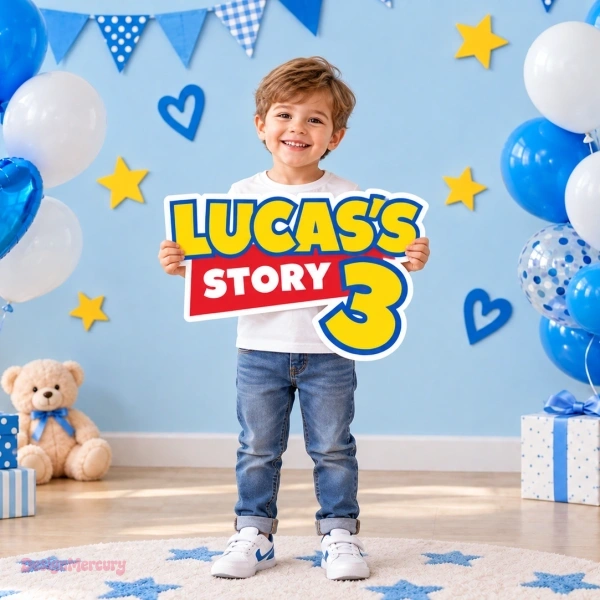

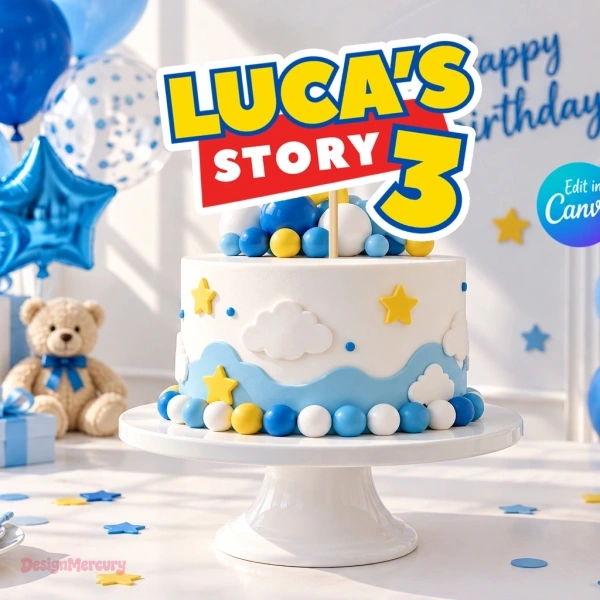
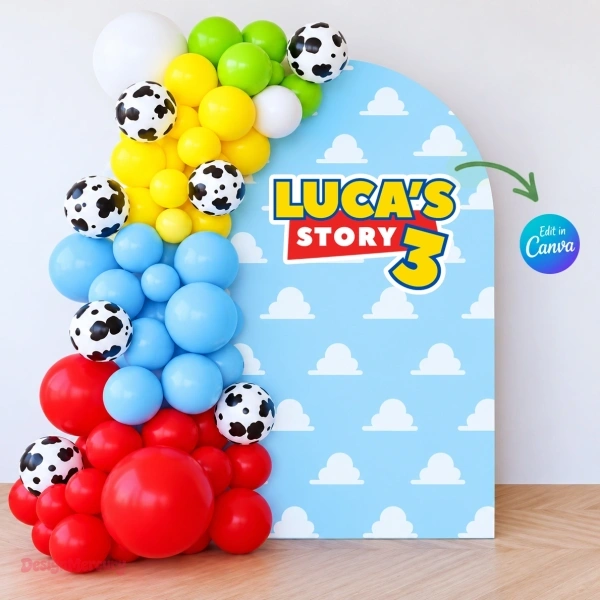
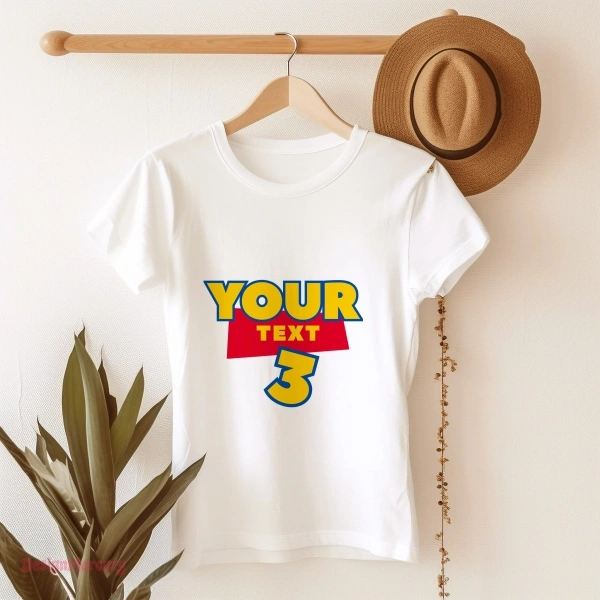
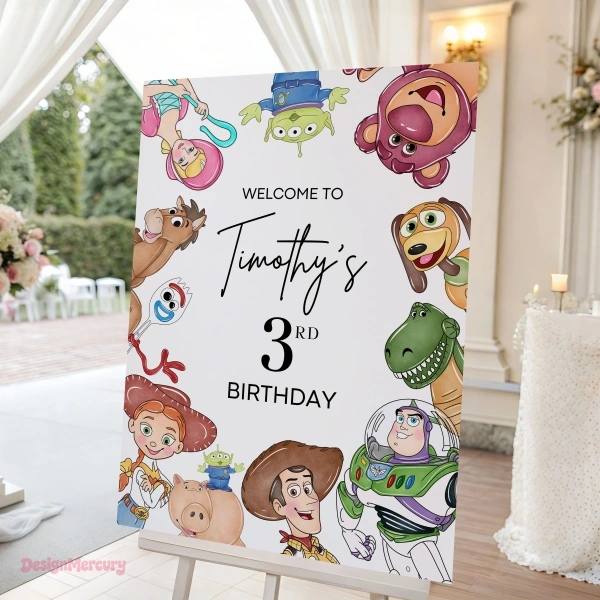
Toy Story Birthday Name Sign – Custom Name & Age Logo for Cake Topper, Centerpiece & Arch Backdrop (3 Sizes)
✔ Editable in Canva: all text and fonts
✔ Print at home or send by text and email
✔ Instant digital download
Digital product only. Nothing will be shipped.
💕 Shop with confidence – Secure Checkout • Instant Digital Access • Friendly Customer Support
Original price was: $12.99.$6.50Current price is: $6.50. 50% off · Limited time sale
VAT Included
Highlights
Designed byDesign Mercury
Digital download
No physical item will be shipped.
Digital file type(s): 1 PDF
Files are available to download after successful payment.
Description
★ INSTANT DIGITAL DOWNLOAD ★
Toy Story Name Sign – Editable Canva Party Template
Make your child’s birthday celebration extra special with a personalized Toy Story Name Sign! This editable Canva party template features a bold, colorful design that can be customized with your child’s name and age.
Three printable sizes are included, making it easy to create matching decorations for cake toppers, centerpieces, dessert tables, and large arch backdrops.
Edit your design in Canva, download your finished file, and print at home or through a professional print shop.
This is a digital product. No physical item will be shipped to your home.
📌 IMPORTANT – PLEASE READ
This is a digital Canva template. No physical product will be shipped.
After purchase, you will receive a PDF containing access links to your three editable Canva templates.
All three sizes feature the same design, prepared in different dimensions for different party decoration needs.
Simply open the template in Canva, personalize your child’s name and age, and download your finished design for printing.
✨ TOP FEATURES
- Personalized Toy Story-inspired birthday name sign
- Customize your child’s name and age in Canva
- Includes 3 editable sizes
- Designed for cake toppers, centerpieces, party signs, and arch backdrops
- Three size options for small, medium, and large party displays
- Easy to customize with a free Canva account
- Download your finished design as JPG, PNG, or PDF
- Print at home or through a local or professional print shop
- Instant digital access after purchase
📏 PRODUCT SIZE & FORMAT
Product Type: Editable Name & Age Party Sign
Format: Canva Editable Templates
Number of Sizes: 3
Delivery: Digital Download
Included Sizes
1. 8.5 × 11 Inches – Small Size
Ideal for:
- Cake topper decorations
- Birthday centerpieces
- Dessert table displays
- Small party signs
- Printable party decorations
2. 25 × 18 Inches – Medium Size
Ideal for:
- Medium-sized party displays
- Personalized birthday signs
- Approximately 6 ft arch backdrop setups
- Dessert table focal points
3. 35 × 25 Inches – Large Size
Ideal for:
- Large personalized party signs
- Approximately 7.2 ft arch backdrop setups
- Large arch backdrop displays
- Main birthday party focal points
Please note: The suggested arch backdrop sizes are approximate. Actual fit may vary depending on the arch backdrop frame and display arrangement. Please measure your setup before printing.
📦 WHAT YOU WILL RECEIVE
Your purchase includes:
- 1 PDF file with access links to your Canva templates
- 1 editable 8.5 × 11 inch Canva template
- 1 editable 25 × 18 inch Canva template
- 1 editable 35 × 25 inch Canva template
Three editable sizes are included in one purchase.
No additional purchase is required to access the other sizes.
🎨 CUSTOMIZATION DETAILS
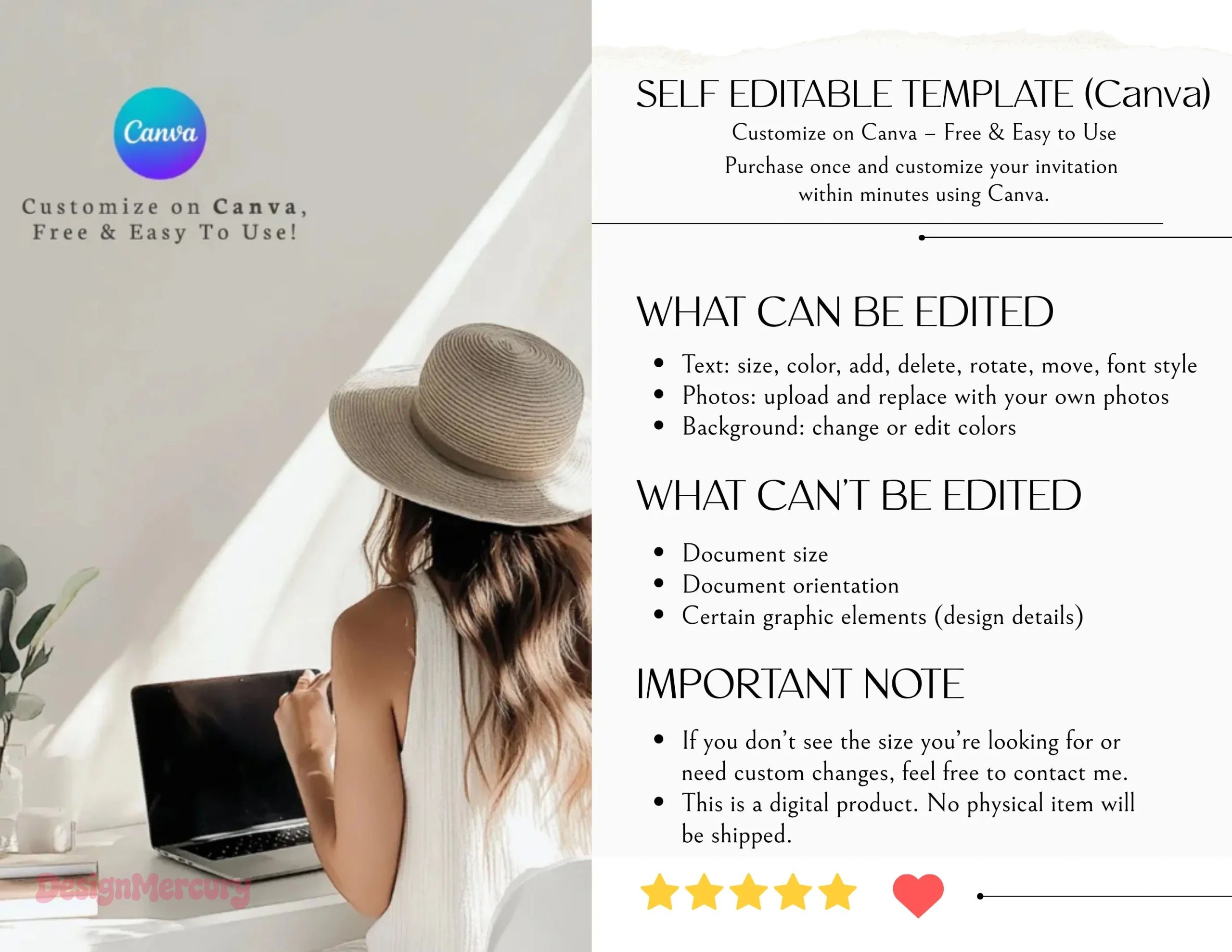
Personalize your design directly in Canva.
You can customize:
- Your child’s name
- Birthday age
- Text placement
- Design positioning and layout as needed
A free Canva account is sufficient to edit the template.
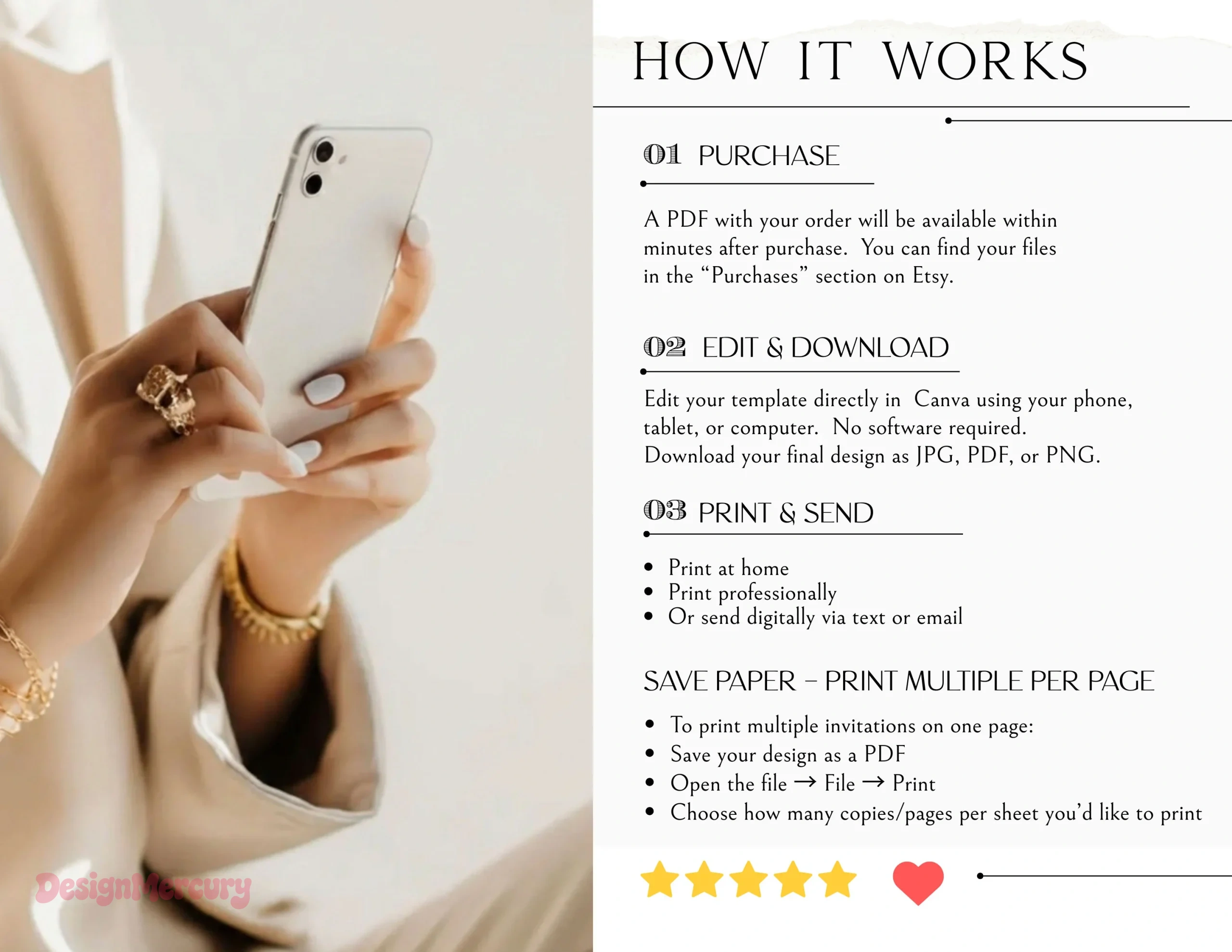
⬇️ HOW IT WORKS
- Purchase this digital product.
- Download the PDF containing your Canva access links.
- Open your preferred size in Canva.
- Customize the name and age.
- Download your finished design as JPG, PNG, or PDF.
- Print at home or through a professional print shop.
🖨️ PRINTING INFORMATION
- Print at home using a suitable printer.
- Use a local print shop for larger sizes.
- Choose the appropriate paper or printing material for your project.
- For large backdrop displays, professional printing is recommended.
💻 COMPATIBILITY
- Works with a free Canva account.
- Compatible with desktop, tablet, and mobile devices.
- Internet access is required to edit the Canva template.
Please Note: Colors may vary slightly depending on your monitor, printer, paper, and printing settings. This is a digital product, so no physical item will be delivered.
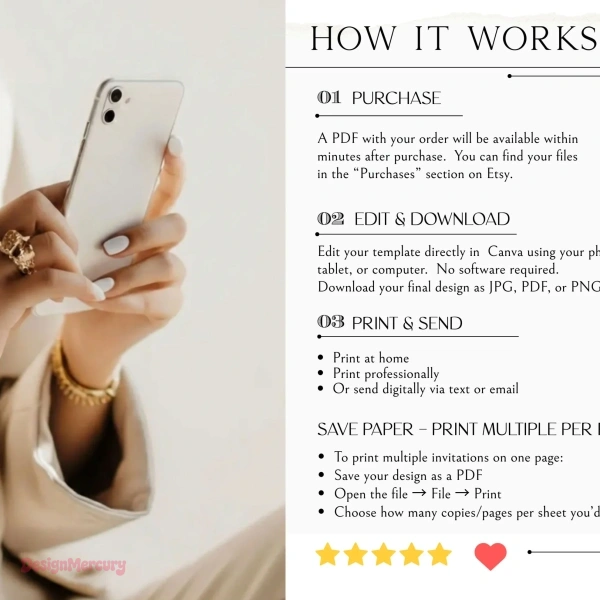
HOW IT WORKS
1. Purchase & Download
Complete your checkout on DesignMercury. Your PDF file will be available for instant download after payment and will also be sent to your email.
2. Open Your Canva Template
Open the downloaded PDF and click “Use Template in Canva.” Canva will create your own editable copy. The original template remains unchanged.
3. Personalize & Download
Add your party details, customize the editable text, and download your finished invitation as JPG, PNG, or PDF. You can print it or share it digitally.
WHAT YOU CAN & CANNOT EDIT
Editable:
- All text, including your child’s name, age, date, time, party address, RSVP details, and wording.
- Font styles, font sizes, and text colors.
Not Editable:
- Illustrations, images, and decorative graphics.
- Original artwork and background colors.
- Invitation size and layout.
The sample text shown in the preview images is for display purposes only. You can replace it with your own party details.
PRINTING & SHARING
- Print at home: Print your invitation using your home printer.
- Professional printing: Take your downloaded file to a local or online print shop.
- Digital sharing: Save your invitation as JPG or PNG and send it through email, text messages, WhatsApp, Messenger, or social media.
Printing recommendation: For the best results, use high-quality cardstock (250–300 gsm).
Color notice: Printed colors may vary slightly depending on your screen settings, printer, ink, and paper.
IMPORTANT INFORMATION & POLICIES
Digital Product – No Physical Shipping
This is an instant digital download. No physical item will be shipped.
Refund Policy
All sales are final. Due to the digital nature of this product and instant file delivery, we do not offer refunds.
Technical Support
If you cannot open your PDF, access your Canva template, or receive the wrong file, please contact us at support@designmercury.com within 48 hours of purchase. Include your Order ID so we can help resolve the issue or resend your files.
Accidental Duplicate Purchase
If you accidentally purchase the same item twice, contact us within 48 hours and provide both Order IDs. We will exchange the duplicate purchase for another digital item of equal or lesser value.
TERMS OF USE – PERSONAL USE ONLY
You MAY:
- Edit the template for your own event.
- Print your invitation for personal use.
- Share your finished invitation with family and friends, digitally or in printed form.
You MAY NOT:
- Resell, redistribute, share, or forward the original PDF or Canva template link.
- Upload or distribute the original design on other websites or marketplaces.
- Claim the original design as your own.
- Use the design for commercial purposes or resale.
♥ NEED HELP?
Have a question or need assistance with your order?
Contact us at support@designmercury.com.
Thank you for choosing DesignMercury!








Reviews
There are no reviews yet.